

Premium Documentation
Welcome to RWC Notify Hub, an enterprise grade notification platform engine meticulously optimized for WordPress. This toolkit helps you capture leads, run flash sales, and maximize user engagement across your entire website infrastructure without introducing script bloat or layout delays.
Core Pillars of RWC Notify Hub
Discover the structural advancements that set our framework apart from standard marketing utilities.
Need Enterprise Level Integration Assistance?
If you encounter configuration challenges or require custom workflow implementations beyond the scope of this baseline manual, our engineering team is ready to help. Open a priority communication thread on our official VIP Helpdesk Network for rapid response.
Analytics Engine
Make data driven decisions with the built in Analytics Dashboard. RWC Notify Hub tracks your campaign performance over a 30 day rolling period, giving you exact metrics on how users interact with your popups and announcement bars.
Key Performance Indicators
At the very top of your dashboard, you will find four primary metric cards. These numbers give you an instant health check of your marketing efforts.
Subscribers Vault
Collect and monitor your audience growth inside a local repository. The Subscribers Vault captures data from frontend lead forms, logs critical target indicators, and builds your database directly within WordPress.
Lead Form Configuration
Design your opt in channels using the backend panel. You can define placeholders, manage subscriber text blocks, and control input visibility without modifying source code.
Frontend Modal Presentation
When visitors land on your website, the system renders a high conversion popup modal featuring a clean input interface optimized for mobile and desktop screens.
Join Our Premium Network
Get instant access to exclusive deals, weekly feature updates, and professional toolkits sent straight to your inbox.
Captured Subscribers Ledger
Monitor individual database entries with automated time stamps and unique identification tracking numbers inside your administration vault.
Promo Popup Engine
Launch eye-catching popups to grab your visitors' attention the moment it matters most. This module gives you full control over how your popups look, when they appear, and what they offer, helping you turn ordinary visitors into customers.
General Settings & Content Styles
Decide when your popup stays active, what kind of content it shows, and how it matches your website's branding.
Call to Action (CTA) Buttons
Guide your users to your sales pages. You can set up custom buttons, direct links, and choose background colors that pop out to maximize clicks.
Triggers & Smart Behaviors
Choose the exact perfect moment your popup drops onto the screen based on how your visitors behave.
Module Distribution Matrix
Review the precise allocation of capabilities between available functional standard environments and pro systems.
| Core Capability Matrix | Standard Free Tier | Enterprise Pro Tier |
|---|---|---|
| Time Delay Triggers (Seconds) | Supported | Supported |
| Standard Animations (Fade In, Zoom In) | Supported | Supported |
| Primary CTA Button Customization | Supported | Supported |
| Popup Layout Max Width & Styling | Supported | Supported |
| Cookie Expiration & Manual Reset | Supported | Supported |
| Exit Intent & Scroll Depth Tracking | Restricted | Fully Integrated |
| Advanced Motion Effects (Slide, Bounce, 3D Flip) | Restricted | Fully Integrated |
| Campaign Start/End Timestamp Scheduling | Restricted | Fully Integrated |
| Custom HTML Developer Mode | Restricted | Fully Integrated |
| Secondary CTA Button (Alternative Link) | Restricted | Fully Integrated |
| Lead Capture Integration Sub-Forms | Restricted | Fully Integrated |
| Automated Dismissal Counters (Auto Close) | Restricted | Fully Integrated |
Announcement Bar
Display a clean, sticky banner at the very top or bottom of your website. This module is built to share important alerts, drive flash sales, and display active countdown clocks across your entire site without disrupting your users' browsing experience.
Core Settings & Styling
Control when your bar shows up, what it says, and how it blends with your brand theme colors.
Countdown Clocks & Pre-Launch Teasers
Build real urgency to increase your storefront conversion rates using live clocks.
Call to Action Clicks & User Controls
Manage buttons to guide buyers and give users the choice to collapse the bar if they want a clean screen.
Module Distribution Matrix
Review the clear feature split between our standard free setup and the complete pro system.
| Core Capability Matrix | Standard Free Tier | Enterprise Pro Tier |
|---|---|---|
| Rich Text Promo Editor Customization | Supported | Supported |
| Fixed Positions (Top or Bottom of Site) | Supported | Supported |
| Custom Bar Height & Color Schemes | Supported | Supported |
| Primary Link Button Integration | Supported | Supported |
| Toggle Button Color Personalization | Supported | Supported |
| Campaign Start/End Timing Scheduling | Restricted | Fully Integrated |
| Floating Status (Sticky Banner Setup) | Restricted | Fully Integrated |
| Pre-countdown Teaser Alert Message | Restricted | Fully Integrated |
| Live Synced Countdown Clock Timer | Restricted | Fully Integrated |
| CTA Button Custom Position Changes | Restricted | Fully Integrated |
| User Control Collapse/Expand Interface Toggle | Restricted | Fully Integrated |
Targeting & Display Rules
Show the right message to the right person at the right time. Display rules allow you to control exactly which pages, posts, or devices your popups and announcement bars appear on. Best of all, you can set completely different rules for your popup and your bar inside the exact same campaign.
Device Visibility Control
Keep your mobile user experience clean by hiding large elements on small screens.
Specific Pages & Posts Targeting
Select the exact pages where your marketing campaigns should be visible to the public.
Exact URL Path Targeting
Target custom web addresses that might not show up in the standard WordPress page search.
Category & Taxonomy Targeting
Blanket entire sections of your website with a single click without selecting pages one by one.
Module Distribution Matrix
Review the clear feature split between our standard free setup and the complete pro system.
| Targeting Capability | Standard Free Tier | Enterprise Pro Tier |
|---|---|---|
| Independent Rules for Popups and Bars | Supported | Supported |
| Target Specific Pages & Posts | Supported | Supported |
| Hide Campaigns on Mobile Devices | Restricted | Fully Integrated |
| Target Specific URL Paths | Restricted | Fully Integrated |
| Target Specific Categories & Taxonomies | Restricted | Fully Integrated |
Global System Settings
Take full control over how RWC Notify Hub operates behind the scenes. From clearing caches to managing user permissions and exporting your data, these backend tools ensure your campaigns run smoothly without technical hiccups.
General Settings
Manage the core behavior of the plugin regarding data retention and cache clearing.
Role Management
Protect your marketing tools by deciding exactly who can create or edit campaigns.
Global Typography
Ensure your popups and bars perfectly match your brand's style by integrating custom fonts.
Advanced Tools (Export/Import)
Easily back up your work or move your best campaigns from one website to another.
Module Distribution Matrix
Review the clear feature split between our standard free setup and the complete pro system.
| Global Settings Capability | Standard Free Tier | Enterprise Pro Tier |
|---|---|---|
| Keep Data on Uninstall Option | Supported | Supported |
| Smart Cache Purging Automation | Supported | Supported |
| Role Management Access Control | Supported | Supported |
| Google Fonts Integration (Typography) | Restricted | Fully Integrated |
| Campaign Export / Import (JSON) | Restricted | Fully Integrated |
The Engineering Behind RWC Notify Hub
Performance is not just a feature, it is our core foundation. We built this engine from the ground up to ensure that your marketing campaigns never come at the cost of your website speed or server health.
Performance Focused Frontend
Most marketing plugins rely on old libraries that slow down your site. We took a different path.
Intelligent Data Processing
We protect your server from unnecessary load by handling data smarter, not harder.
High Speed Analytics Schema
Standard WordPress tables can get bloated. We created a dedicated home for your marketing data.
Precision Logic & Isolation
We ensure your campaigns run exactly when and where they should, without errors.
Frequently Asked Questions
Got questions? We have straight answers. Here is everything you need to know about getting the most out of RWC Notify Hub and turning your website traffic into real customers.
What exactly does RWC Notify Hub do for my website?
It helps you turn normal visitors into actual leads and buyers. You can build eye-catching popups and sticky top bars to announce sales, offer discounts, and collect emails. The best part is that it does all of this without slowing down your page loading times.
Can I run a popup and an announcement bar at the exact same time?
Yes, absolutely. Our system lets you run a popup and an announcement bar inside the very same campaign. They work completely independent of each other. You can set the popup to show after 5 seconds, while the bar stays pinned to the top of the screen the entire time.
Will adding these popups make my website load slower?
Not at all. We built this tool using pure Vanilla JavaScript, meaning it does not load heavy external libraries like jQuery. It also checks if a user has already seen a popup using their browser memory before asking your server for data. This keeps your site incredibly fast and saves your hosting bandwidth.
Can I trigger a popup right when a visitor tries to leave?
PRO
Yes. Using the Exit Intent trigger, the popup will instantly show up the exact moment a visitor moves their mouse up towards the close button or address bar.
How do I control exactly who sees my promotions?
You can use Display Rules to target exactly where your popup shows up. The free version lets you hide campaigns on mobile phones or pick specific pages and posts. Pro users can even target exact URL links or entire categories with just one click.
Do I need to know how to code to make things look good?
No coding needed. You get a clean visual editor where you can pick colors, upload background images, and write your text. The design automatically adapts to fit mobile screens perfectly. Pro users do get access to a Custom HTML block if they want to build something highly specific.
Where do all my collected emails go?
Every time someone fills out your popup form, their email goes straight into the Subscribers Vault inside your WordPress dashboard. You can view all your leads there safely.
Can I use countdown timers to increase sales?
PRO
Yes, you can add a live ticking clock to your announcement bars. Just set your campaign end date in the settings, and the timer will sync automatically.
If I uninstall the plugin, do I lose all my popups?
By default, yes, to keep your database clean. But you can go to the Global Settings and turn on the "Keep Data on Uninstall" option. This ensures all your hard work stays saved in your database just in case you want to reinstall the plugin later.
Can I copy my best popups to another website?
PRO
Definitely. You can use the Advanced Tools section to export your campaign as a simple JSON file. Then, just upload that file to your other website using the Import tool. It takes about two seconds and saves you hours of rebuilding the same design.
VIP Support & Helpdesk
We never leave you hanging. Whether you are using the free version or the pro enterprise system, our dedicated team is always here to make sure your campaigns run perfectly. Here is how you can get in touch with us.
Free Community Support
Get help from our developers and the community directly on the official WordPress forum.
Premium Dedicated Helpdesk
Direct, priority access to our core engineering team for all your technical and sales queries.
Support Policy & Feedback
What is covered in our support and how you can help us grow.
Our Product Ecosystem
We build tools that solve real problems. Enhance your WordPress website with our complete ecosystem of free and premium plugins, designed to work perfectly together.
WRC Pricing Tables
Showcase your service plans and product packages clearly to increase sales.
Free Version FREE
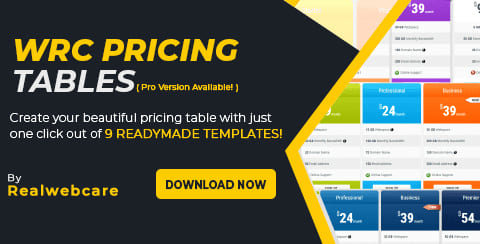
The Output: Builds clean, responsive pricing tables to display your service tiers.
Use Case: Perfect for local agencies or software sites that need to show Basic, Standard, and Premium packages side by side.
Ultimate Version PRO
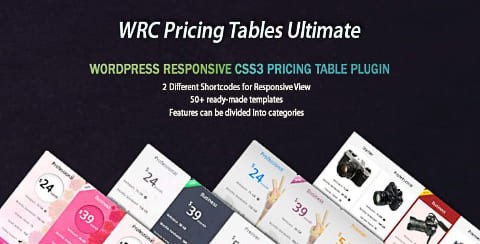
The Upgrade: Unlocks premium skins, monthly and yearly toggle switches, and attention-grabbing ribbon badges.
T4B News Ticker
Broadcast breaking news and quick updates using a scrolling text bar.
Free Version FREE
The Output: Adds a simple horizontal scrolling news ticker to your site.
Use Case: Great for news portals, magazines, or financial blogs that need to show fast, scrolling headlines to their readers.
Pro Version PRO
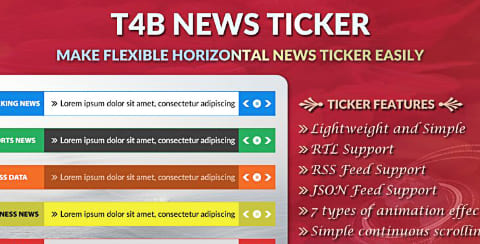
The Upgrade: Provides flexible scrolling options, custom color styling, and advanced typography controls.
RWC Team Members
Build trust by showing the human faces behind your brand.
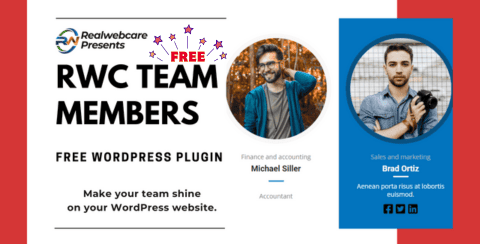
Free Version FREE
The Output: Displays your staff profiles with photos, designations, and basic social links in a neat grid.
Use Case: Perfect for the "About Us" page where building personal connection and trust with your website visitors is essential.
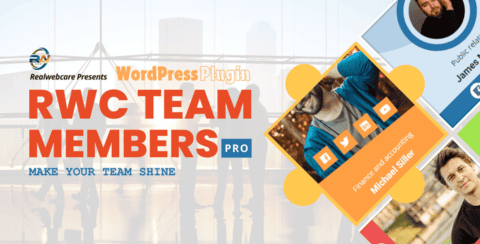
Pro Version PRO
The Upgrade: Adds interactive hover effects, detailed popup bios, and premium grid layouts.
Responsive Portfolio Image Gallery
Showcase your past projects and creative work organized by categories.

Free Version FREE
The Output: Builds a standard filterable portfolio grid to display your past work.
Use Case: Ideal for freelancers and design agencies who need to show their clients exactly what they are capable of building.
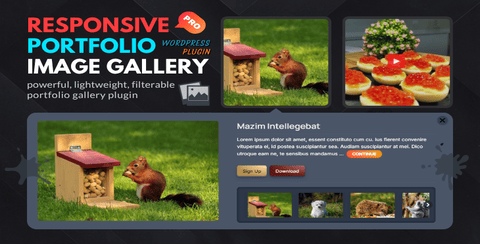
Pro Version PRO
The Upgrade: Delivers advanced lightbox popups, infinite scroll, and custom styling options.
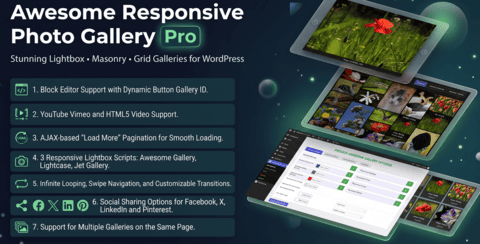
Awesome Responsive Photo Gallery
Turn your simple photos into stunning visual experiences.
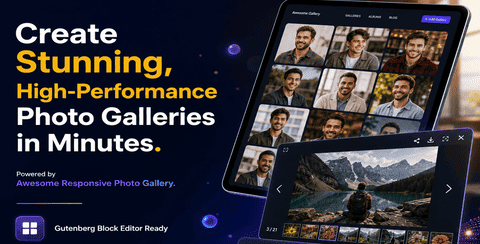
Free Version FREE
The Output: Creates responsive image galleries with masonry or grid layouts.
Use Case: Photographers or event organizers sharing high-quality photo collections from weddings or corporate events.
Pro Version PRO
The Upgrade: Unlocks beautiful hover animations, video gallery support, and advanced image sorting.
Essential Utility Plugins
Powerful standalone tools completely free to use.
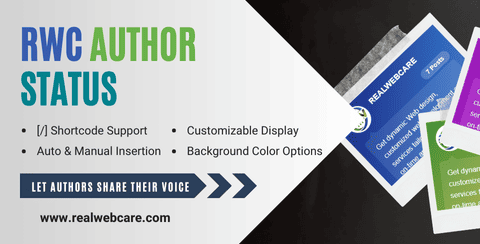
RWC Author Status FREE
The Output: Allows authors to display and update their status (like "Writing a new post") directly on their articles.
Use Case: Multi-author blogs where writers want to build a personal connection with their readers.
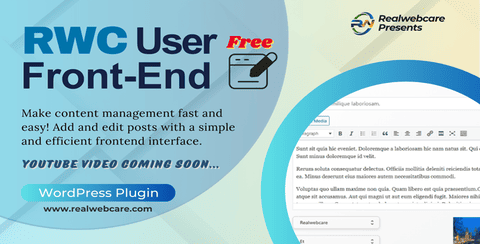
RWC User Frontend FREE
The Output: Lets users manage posts, edit profiles, and login safely from the front-end of the website.
Use Case: Membership sites or guest blogging platforms where you want to keep normal users out of the backend admin area.
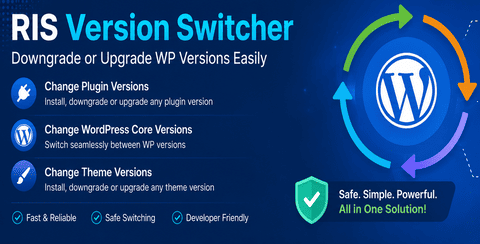
RIS Version Switcher FREE
The Output: Helps you safely downgrade or upgrade your WordPress core, plugins, or themes with a single click.
Use Case: Sometimes a new plugin update breaks your design. This tool lets you roll back to the older, working version in seconds.

Muslim Prayer Time BD FREE
The Output: Displays accurate, location-based Islamic prayer times directly on your website.
Use Case: Local community sites or Islamic blogs in Bangladesh needing reliable daily prayer schedules.
Changelog & Updates
See what is new, fixed, and improved in the latest versions of Notify Hub. We constantly push updates to keep your marketing tools fast, secure, and packed with new features.
Version 0.1
August 6, 2026- New First official release of the RWC Notify Hub engine.
- New Added ability to run popups and announcement bars at the exact same time inside one campaign.
- New Built a live visual analytics dashboard to track views, clicks, and conversions easily.
- New Created a super fast frontend using pure Vanilla JavaScript so your site never slows down.
- New Added smart browser memory tracking to prevent fake views and save your server from heavy load.
- New Built a safe Subscribers Vault to capture and store all your collected emails.
- New Added powerful targeting rules allowing you to show campaigns by device, specific pages, or entire categories.
- New Added smart popup triggers like Exit Intent and Scroll Depth to catch visitors at the perfect moment.
- New Included global settings to automatically clear your website cache when you save a new campaign.
- New Added role management so you can safely choose who has permission to edit your marketing tools.
- New Added a clean uninstall option to wipe data and keep your database light if needed.
- New Added Google Fonts integration so your popups match your website design perfectly.
- New Built a 1-click JSON export and import tool to easily copy campaigns to other websites.
- New Added live countdown timers and sticky positioning options for announcement bars.
- New Ensured all your scheduled campaigns start exactly on your local time zone.
- New Designed a dedicated VIP Support dashboard right inside the plugin for quick help.
Version 0.1
August 5, 2026- New First public release on the WordPress plugin repository.
- New Added a lightweight promo popup with simple time delay options.
- New Added top and bottom announcement bars with customizable buttons.
- New Built a quick search tool so you can target specific pages or posts easily.
- New Created a fast, lightweight frontend using pure Vanilla JS.
- New Added automatic cache clearing when saving campaigns to show updates instantly.
- New Added role management to keep your marketing setup secure.
- New Included a safe data removal option for uninstallation.
- New Added a helpful welcome screen to guide you through the setup process.